In Stock
Models :
Dr. Spa Sound Wave Massage System
Dr. Spa Sound Wave Massage System
$350.00
sign in for deals
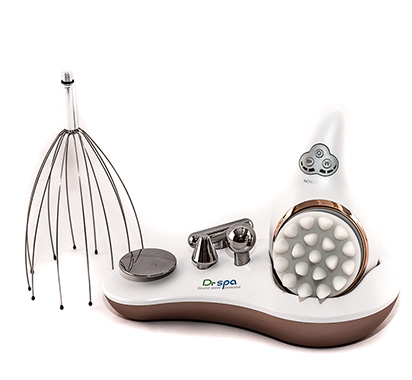
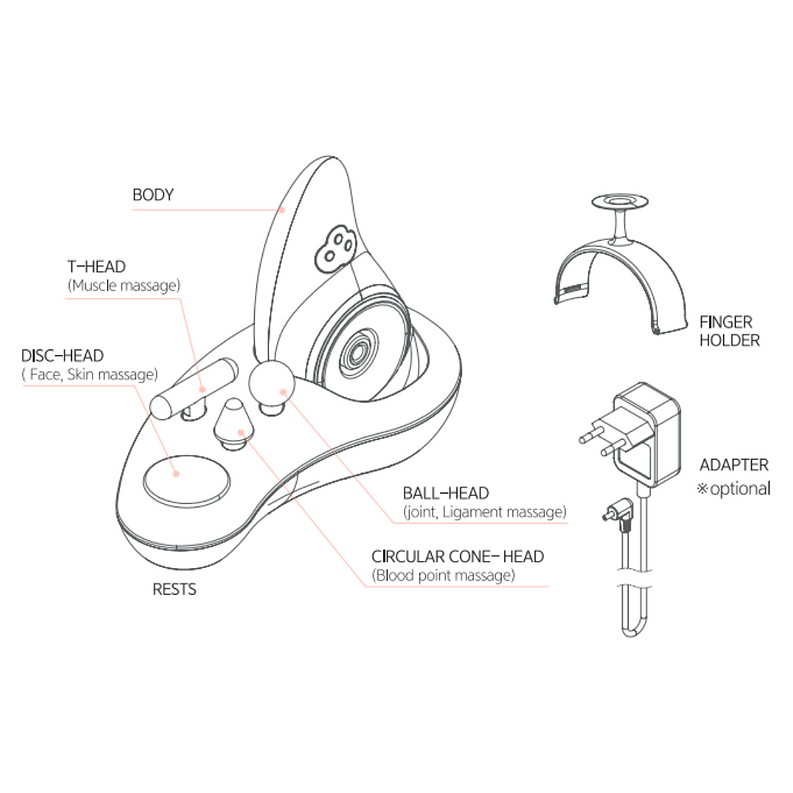
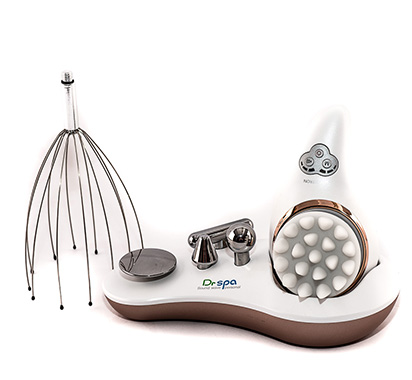
Components: Body, T-Head, Disc-Head, Ball-Head, Circular Cone-Head, Scalp Silicon-Head, Disc Silicon, Scalp Wirehead, Finger Holder, and Adaptor.
Models :
-
Dr. Spa Sound Wave Massage System
Product Details
About Dr. Spa:
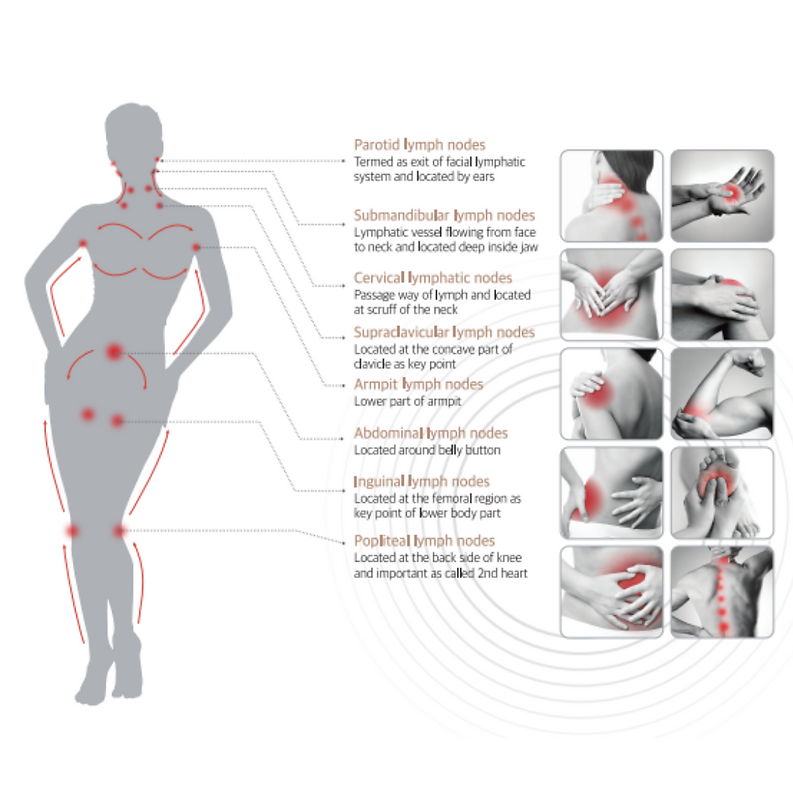
Dr. Spa uses an acoustic resonance system, which delivers natural sounds in audio frequency (AF), to give effective massages to your skin, muscles, ligaments, tendons, and cartilages. The acoustic resonance is highly effective to lymphatic circulation, which is the key to your health and beauty! The sound vibration also stimulates your cells and sensory system, helping to activate your senses and relieving stress.
Advantages:
○Heals musculoskeletal disorders by stimulating muscle movement including fasciae, tendons, and ligaments.
○Promotes lymphatic circulation
○Efficiently massages subcutaneous fat, intra-abdominal fat, and cellulite.
○Stimulates new collagen and elastin production to create firmer skin.
○Improves immune system by restoring your capillaries and nerves
Applications:
Scalp
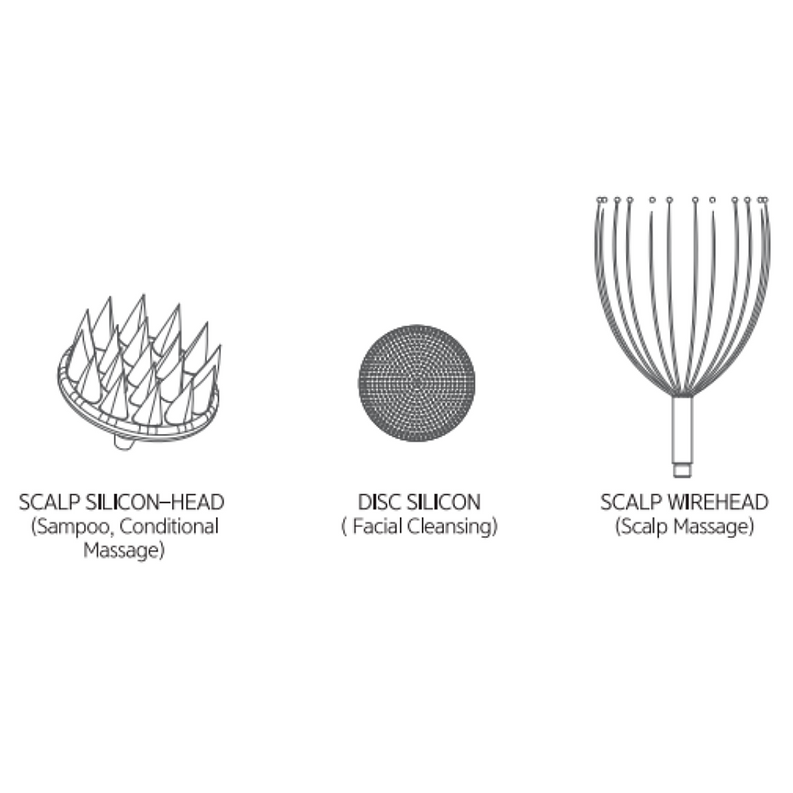
○Scalp Massage using Scalp Wire Head: Can make the scalp healthy and prevent hair loss by promoting the blood circulation.
○Scalp Shampoo/Treatment Massage using Scalp Silicon Head: Can help you grow healthy hair by deep cleansing your scalp while shampooing.
Facial
○Facial Massage using Disc Head: Can smooth out the wrinkles and provide elasticity to your skin.
○Facial Cleansing using Disc Head and Disc Sillion: Can exfoliate your face to minimize the pores
Body
○Neck Massage using T-Head and Circular Cone-Head: Can reduce and prevent neck lines and promote the skin elasticity
○Other parts using T-Head/Circular Cone-Head/Ball-Head: Can promote lymphatic circulation and relieve muscle tension
Features
○IPX5 Waterproof
○Powerful Real Sound
○660NM Red LED
○Battery Charging
○Includes multiple probes optimized for various body parts
How to Use
Operating Instructions for General Use
○Select and Install the Desired Component
○Gently screw the desired component onto the device until it is attached.
○Power On the Device
○Press and hold the power button until the device powers on.
○Select the Mode
○Use the mode selection button to cycle through available modes.
○Stop at the desired mode.
○Adjust Settings
○Use the adjustment controls to set the desired intensity or other settings according to your preference.
○Begin Use
○Place the device on the target area as instructed.
○Press the start button to begin the operation.
○Monitor Progress
○Observe any indicators or displays to ensure the device is operating correctly.
○Complete the Session
○Once the session is complete, press the stop button.
○Carefully remove the device from the target area.
○Power Off the Device
○Press and hold the power button until the device powers off.
○Maintenance
○Clean the device according to the manual's instructions after each use.
○Store the device in a safe, dry place.
For detailed information, please refer to the specific sections in the manual.
Warranty
One year from the date of the purchase of the product.